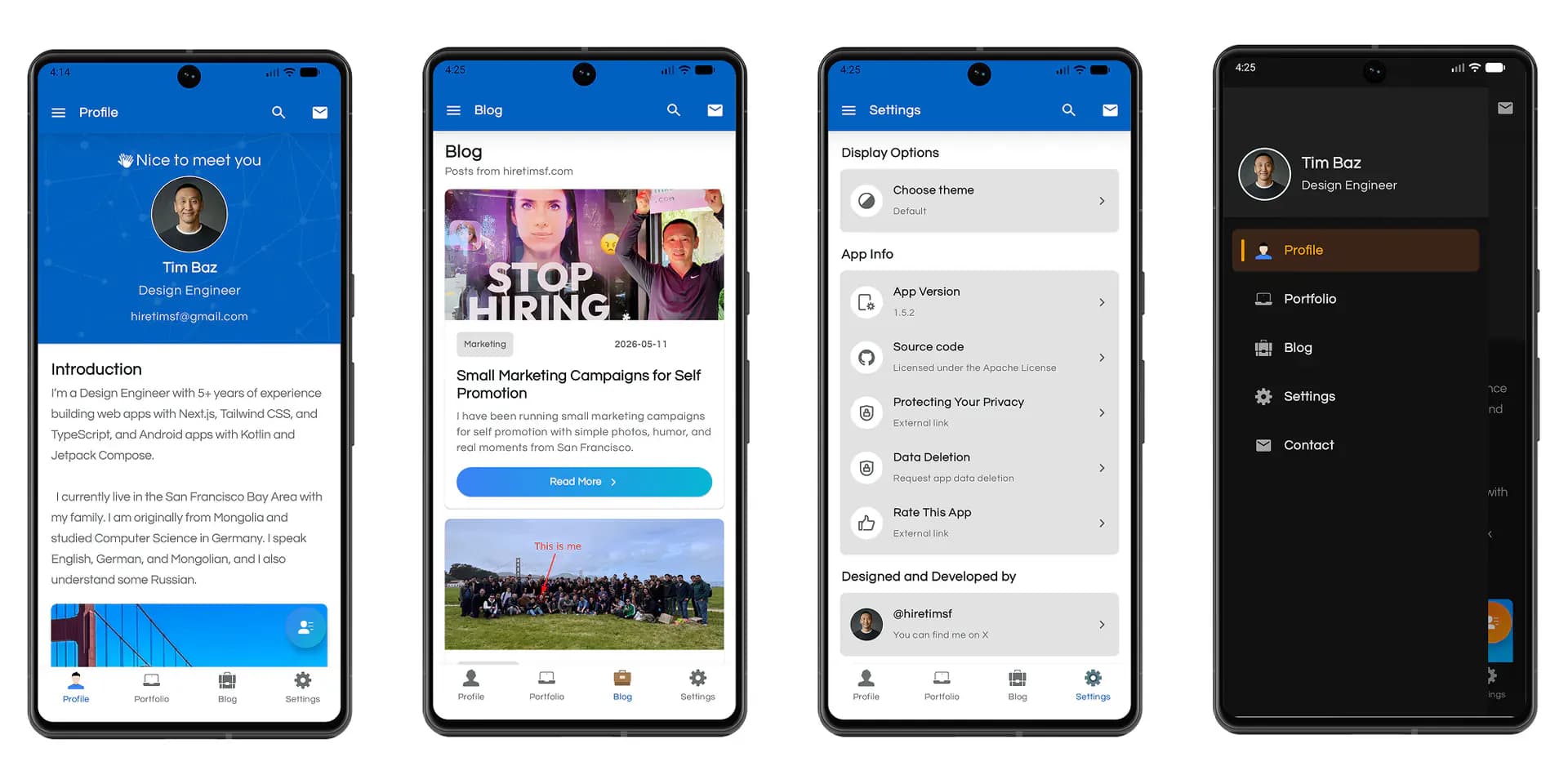
In 2019, I built my Android portfolio app with Kotlin and XML layouts.
I was still learning Android development at the time, and this project helped me learn a lot through real practice. I spent around six months working on it, fixing bugs, trying new ideas, and improving the app step by step.
It used MVVM, Android Jetpack, Firebase, Room, Retrofit, navigation, animations, and many other features that helped me better understand how Android apps are built in the real world.
That project got more attention than I expected. The original repo, Android-Portfolio-App-Kotlin, has 50+ GitHub stars, 19 forks, and was mentioned by Mitch Tabian in Codingwithmitch App Reviews #1.
Now I rebuilt the app from the ground up with Kotlin and Jetpack Compose. The new version is currently in Google Play Store closed testing.
What changed
The biggest change is the UI layer. The old app was built with XML layouts. The new app is built with Jetpack Compose, which made it much easier to think in reusable UI components, state, themes, and screen structure.
The new Android stack
For the rebuild, I wanted to use a modern Android stack and keep the project closer to current Android development practices.
The app now uses:
- Kotlin
- Jetpack Compose
- Material 3
- Navigation Compose and Navigation 3
- Hilt for dependency injection
- Kotlin Coroutines and Flow
- DataStore Preferences
- Room
- Retrofit, OkHttp, and Moshi
- Coil for image loading
- Kotlinx Serialization
- AndroidX SplashScreen
- Gradle version catalogs
- KSP
- Android Gradle Plugin 9
Some of these libraries are already part of the app experience. Others are foundation pieces for the next features I want to add as the app grows.
The goal was not just to use new libraries because they are new. The goal was to rebuild the app with tools that make the code easier to maintain, easier to extend, and closer to how I would build an Android app today.
What is next
The app is now in Google Play Store closed testing.
This project started as a six-month learning challenge. Years later, rebuilding it with Jetpack Compose reminded me how much Android development has changed and how much I have changed as a developer.